
-
 Back in Stock
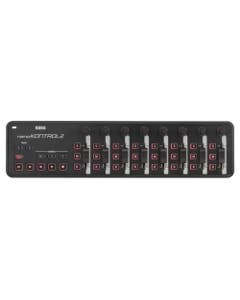
Korg NanoKONTROL2 Slim Line USB Control Surface
$119.99The Korg NanoKONTROL2 Slim Line USB Control Surface provides eight channels of control, plus a dedicated transport control section. The buttons have been carefully selected for use with many software titles - inc...6 Payments of $20.00
h m s
-
Korg NanoPAD2 Slim Line USB Drum Pad Controller
$79.95The Korg NanoPAD2 Slim Line USB Drum Pad Controller has 16 velocity-sensitive pads, providing excellent response, delivering drum parts that are full of life. Four switchable scenes deliver 64 different pad assig...4 Payments of $19.99
h m s
-
RME ARC USB Remote Control for RME Audio Interfaces
$179.00 - $199.00The ARC USB is a wired remote has been designed for direct access to the most frequently used actions and commands of TotalMix FX, being an indispensable tool in the studio's daily applications. Its extremely flexib...6 Payments of $29.83
h m s
Skip to Content
Get FREE shipping on all orders!
Fast FREE shipping on all orders!
DAW Controllers


DAW Controllers
Mixing with a mouse works; it just doesn't work well. A DAW controller gives you physical faders, transport controls, and motorized feedback so you can move through a session the way mixing was meant to feel. At AMS, we carry DAW surface controllers from SSL, Avid, PreSonus, iCON Pro Audio, Softube, and more.
What a DAW Controller Actually Does for Your Workflow
A DAW mixer controller replaces mouse clicks with physical touch. Instead of clicking a fader on screen, you move it with your hand. Instead of clicking play and stop, you press a dedicated transport button. For engineers and producers who spend long sessions in a DAW, that tactile feedback reduces fatigue, speeds up common tasks, and makes mixing feel more like mixing — not like using a spreadsheet.
Single-Fader vs. Multi-Fader DAW Controllers
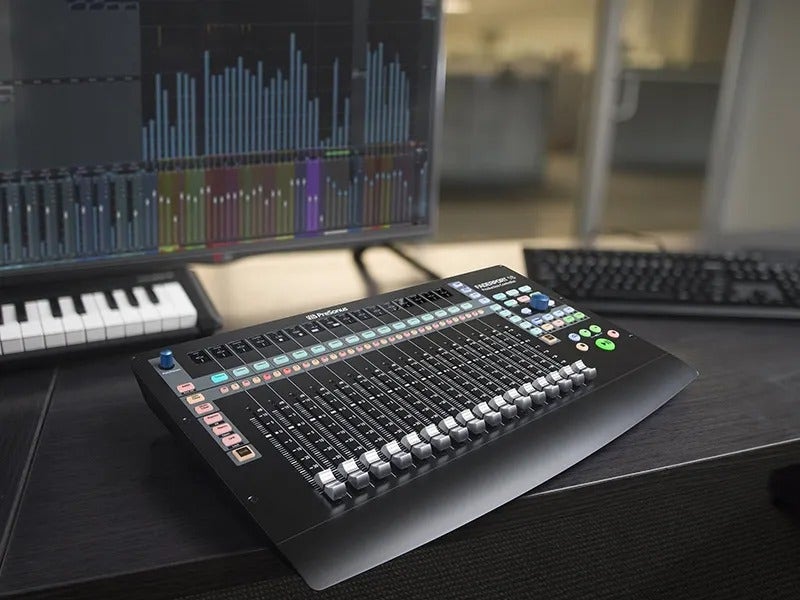
Single-fader DAW transport controllers like the PreSonus FaderPort V2 and the SSL UF1 give you motorized fader control over one channel at a time, plus transport, automation modes, and navigation. They’re compact, affordable, and eliminate the need to constantly grab the mouse during tracking and light mixing.
Multi-fader surfaces like the PreSonus FaderPort 8 and the iCON Pro Audio V1-M put eight or more touch-sensitive motorized faders in front of you for full mix sessions where moving multiple channels simultaneously is the priority. The right choice depends on how you work: single-channel tracking and automation versus hands-on mixing across an entire session.
Key Features to Look for in a DAW Surface Controller
Motorized faders are the most important feature on any serious DAW mixer controller — they move to reflect the current state of your session whenever you bank channels or switch modes, so what you see on screen always matches what your hands are touching. Touch sensitivity tells the DAW when you grab a fader, enabling automation punch-in and out without pressing extra buttons. Scribble strip displays show track names and values directly on the surface, so you are not constantly looking back and forth between hardware and screen.
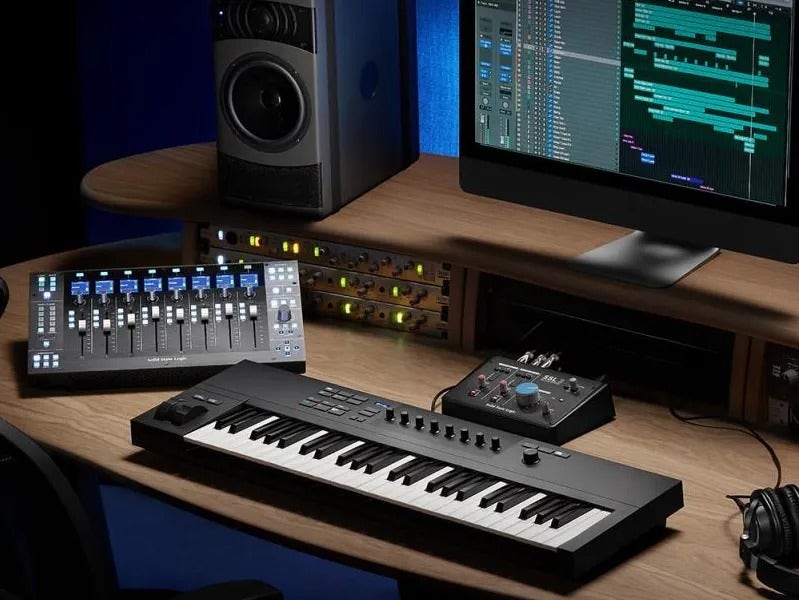
The iCON Pro Audio V1-M includes a 7-inch programmable touchscreen, nine touch-sensitive motorized faders, a dedicated LED meter bridge, and per-channel TFT displays — a full console-style experience in a desktop unit. The Avid S1 delivers eight motorized faders with deep Pro Tools and EUCON integration and S6-style monitoring control. For SSL plug-in users, the SSL UC1 provides direct hardware control over SSL's 360°-enabled channel strips with a dedicated EQ display.
DAW Compatibility and Protocol Support
Most DAW controllers communicate via Mackie Control Universal (MCU) or HUI protocol, which gives them basic compatibility with nearly every major DAW on the market — including Pro Tools, Logic Pro, Ableton Live, Cubase, Studio One, and Reaper.
Some controllers offer deeper native integration. For example, the PreSonus FaderPort series includes native Studio One support with full Control Link functionality, and the Avid S1 uses Avid's EUCON protocol for tight Pro Tools integration. The iCON P1 Nano can connect to up to three DAWs simultaneously. Always check the specific DAW integration your controller offers before buying, especially if you run a less common host or need specific automation features.
Frequently Asked Questions About DAW Controllers
Will a DAW controller work with any DAW?
Most DAW controllers support Mackie Control Universal (MCU) and HUI protocols, which provide basic compatibility with Pro Tools, Logic Pro, Ableton Live, Cubase, Studio One, FL Studio, and most other major platforms. Deep native integration — such as parameter follow, automatic mode switching, and plug-in control — varies by controller and DAW combination. Check the manufacturer's supported DAW list before purchasing if native integration matters to your workflow.
Do DAW controllers replace a mouse entirely?
No — they complement it. A DAW transport controller handles faders, transport, automation, and navigation far faster than a mouse, but you will still use a mouse for tasks like editing regions, drawing automation curves, and navigating plug-in interfaces. The goal is to reduce the number of times you reach for the mouse during a session, not to eliminate it.
What is the difference between a DAW controller and a MIDI controller?
A DAW controller is purpose-built for controlling a digital audio workstation — it has faders, transport buttons, scribble strips, and deep software integration. A MIDI controller is designed for playing and performing, with keys, pads, and encoders that send generic MIDI messages. Some MIDI controllers include basic DAW transport functions, but they are not a substitute for a dedicated DAW mixer controller with motorized faders.
Do I need motorized faders?
Motorized faders are important for mixing and automation work. Without them, fader positions do not update when you bank channels or load a saved session, creating mismatches between screen and hardware. For transport control and basic navigation, you can get by without them. For serious mixing, they make a significant difference in usability.
Take Control of Your Sessions at AMS
A dedicated DAW controller makes every session faster and more intuitive. From compact single-fader transport controllers to full multi-fader surfaces, you can find options for every studio size and budget right here at AMS. We also offer 0% interest financing, VERY fast and free shipping, a free 12-month extended warranty, and a 45-day return window. Browse our full selection and pair your controller with the right audio interface and studio monitors for a complete recording setup.