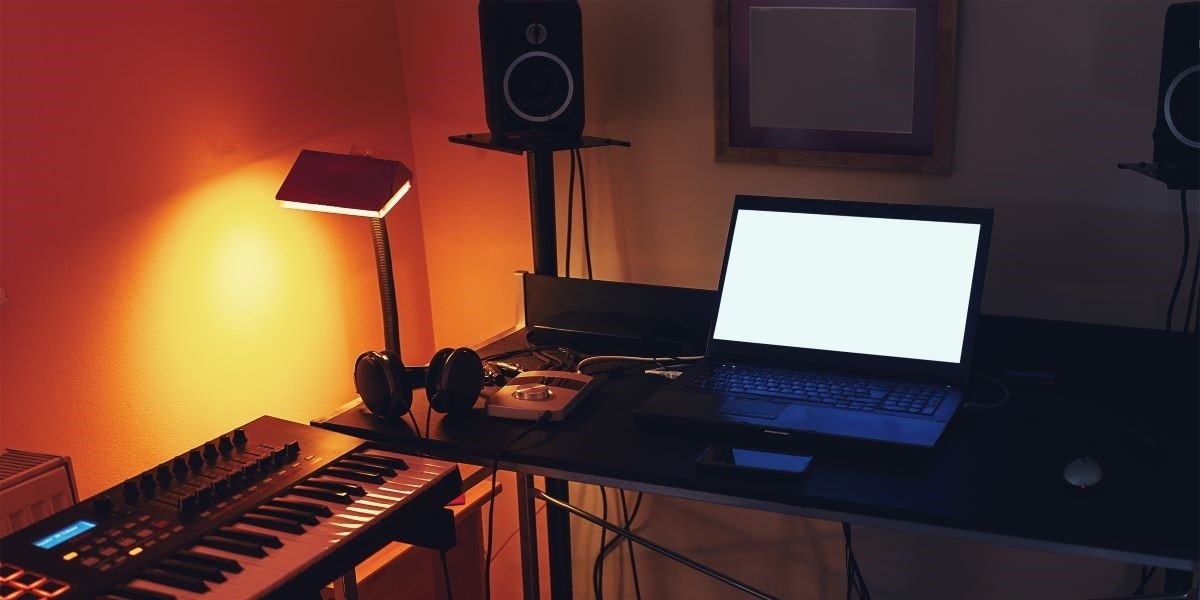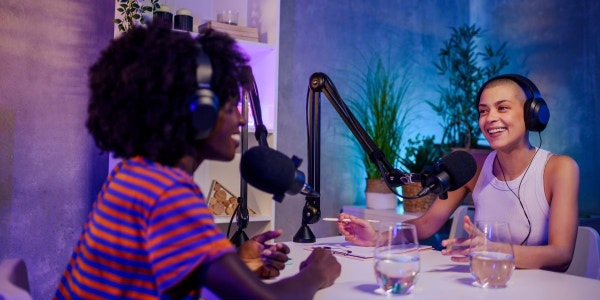
What good is having a niche interest if you can’t share it with the world? Perhaps it’s time to start a podcast. But having an idea is only half the battle. Now you need to get the gear required to take your ideas and transmit them to the world.
Luckily, starting a podcast doesn’t require a ton of gear. You really just need a mic, mixer or interface, headphones, and a DAW to get started. What the heck are those things!? I’m glad you asked.
Podcast Microphone
Okay, you need a microphone to start a podcast. That’s probably the most obvious statement ever. The real question is what kind of mic do you need for a podcast. That’s a much more interesting question.
The decision really comes down to one question: do you want a USB mic or an XLR mic?
USB vs. XLR Microphones
To keep it simple, USB microphones connect via USB, and XLR microphones use an XLR cable. Duh, right? So to decide which one you want to use, it all comes down to what you want to connect your microphone to.
USB microphones can connect directly to any device with a USB drive — like a phone, tablet, or computer. That means you can skip the middleman (so to speak) and avoid having to buy a dedicated interface or mixer — which we’ll get to in a minute. This setup is great for beginners or anyone who wants a run-and-gun-type podcast setup that’s easy to deploy anywhere.
XLR microphones connect to an audio interface or mixer via an XLR cable. Yes, you have to have an audio interface or mixer, but you’ll get slightly better audio quality and way more connectivity flexibility — especially as you upgrade your podcast setup with better gear.
If you know you’re going to have a small podcast with just you as the presenter, or you’re looking for something super mobile, a USB mic is a great choice. But if you think you might want to expand in the future or hosts some guests, it’s usually a better option to go for an XLR broadcast microphone.
Dynamic vs. Condenser Mics for Podcasting
A common question beginner podcasters have is whether they should choose a dynamic mic or condenser microphone. For the grand majority of podcasters, a dynamic mic is the way to go. They’re better at rejecting background noise, which makes them more forgiving in a live broadcast situation — and much easier for editing on the backend. They also don’t require phantom power, which means they play nice with more gear.
Best Microphones for Podcasting
The Gold Standard: Shure SM7dB

Shure SM7dB Active Cardioid Dynamic Broadcast Microphone
Special Price $459.00
The Shure SM7dB is currently the reigning champion in the podcast world. It’s used by most of the world’s top podcasters, including Joe Rogan, Theo Von, and really just about everyone else. It delivers amazing clarity for spoken vocals and has a built-in preamp soo you never have to worry about not having enough gain on your mixer or interface. It also comes with a built-in pop filter to keep all those plosives at bay.
It’s so good that singers actually have started using the SM7dB to record vocals in the studio. It’s really the all-around winner for podcasting, but that level of quality does come at a price that’s not entirely friendly for beginners.
Best for Beginner Podcasters: Zoom ZUM-2

If you don’t want to deal with getting a bunch of gear to start spewing ideas to the internet, the Zoom ZUM-2 might be for you. It’s a super-simple, super-affordable USB podcast mic that comes with pop filter, headphones, AND desk stand, all for under $100.
You can literally buy this mic, connect it directly to your smartphone, tablet, or laptop, and start recording. It’s the quickest and easiest way to start a podcast without a huge financial investment. And even if you do decide to upgrade in the future, it makes a great backup or travel setup.
Most Versatile: Shure MV7+
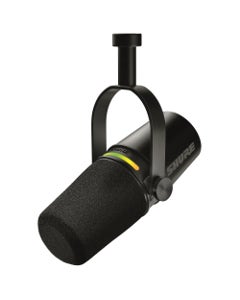
Shure MV7K Podcast Hybrid USB-C And XLR Dynamic Microphone Black
Special Price $255.00
Can’t decide between the simplicity of a USB setup or a more professional XLR mic? Neither could the MV7+. The Shure MV7+ has both USB and XLR outputs, so you can connect to just about anything you want. Laptops, mixers, smartphones — it doesn’t matter! It also has a dedicated headphone output, so you can monitor your podcast right through the mic.
And that LED strip on top? It’s more than just a pretty face. Sure, you can customize the color to fit your podcast’s vibe, but it’s also a mute button! Just give it a tap, and you can speak freely without your audience hearing anything. The MV7+ is purpose-built for podcasters. And since it’s from Shure, you know it has exceptional sound quality, too.
Audio Interface or Podcast Mixer
You have your mic. Now what do you plug it into? If you chose a USB mic, good work. You don’t have to worry about it. But if you want more control over your production, you’ll need an audio interface or a podcast mixer.
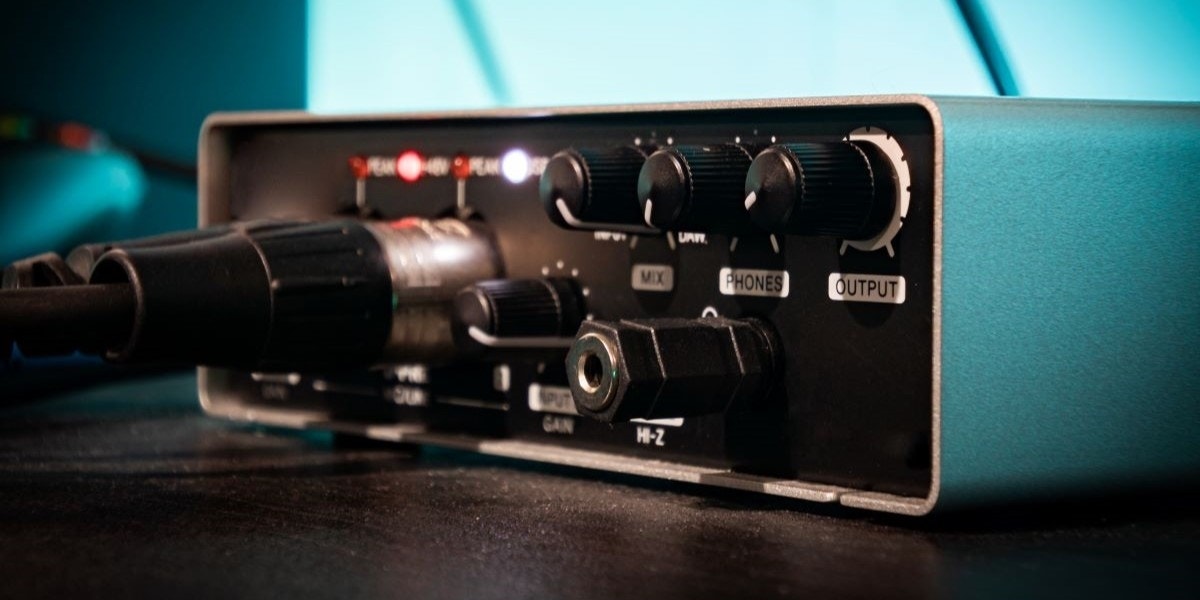
Mixers and interfaces take all your analog inputs — which in the case of podcasters is usually a bunch of microphones — and translates them into a digital signal that your computer can understand. It’s the heart of your entire setup.
Podcast Mixer vs. Audio Interface
Both podcast mixers and audio interfaces ultimately do the same job: they take analog signals and convert them into digital. However, they have very different feature sets.
Audio interfaces are best for recording. They can record super-clean, multi-track audio that’s easy to edit in a DAW (again, we’ll get to that). If you plan to prerecord your podcasts and edit afterward, an audio interface is a solid choice for high-quality audio.
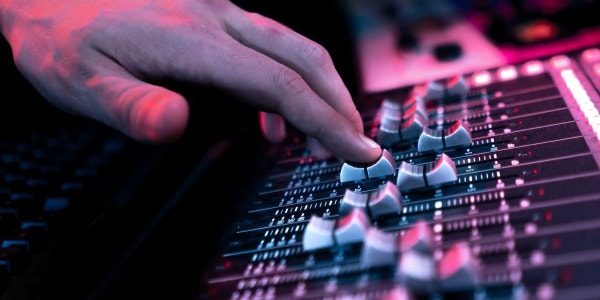
Podcast mixers shine for live recordings. They give you tons of control over your sound in real time using physical faders, knobs, pads, and even onboard effects. If you’re more of a live streamer who doesn’t want a ton of work on the backend, a mixer might be the best choice for you.
Think About Channel Count
Both mixers and interfaces come in a huge variety of shapes and sizes. But the most important consideration you’ll need to think about is channel count. You’ll need one channel per input. So if you want to have three guests on your podcast at once, you’ll need a minimum of four XLR inputs (one for yourself). If you want to add instruments, keyboards, sound effects, external devices, etc., each one will need a dedicated input.
When it comes to channels, it’s always best to err on the side of caution and get a few more than you really need. You never know when a surprise guest shows up or you want to take a phone call on the air.
Each guest will also likely want their own pair of headphones, so consider how many headphone outputs you’ll need. Audio interfaces typically have one or two outputs, while mixers usually have more. But you can always get an external headphone amplifier to add more outputs if needed.
Best Podcast Mixers and Audio Interfaces
Best Overall: RODE RODECaster Pro II

Gear specifically designed for podcasting will always rise to the top, and the RODE RODECaster Pro II is the top of the top. It features four combo inputs for mics, line level inputs, or instruments, plus four headphone outputs with high-quality preamps, so you can easily have up to four people at once, each with their own headphone mix.
Add in dual USB for a full nine channels of connectivity with six physical faders, eight fully programmable SMART pads (yay sound effects!), Wi Fi and ethernet connectivity, multi-track stereo recording, and a large display, and you get one serious podcast mixer that you won’t easily outgrow.
Best Budget Pick: Focusrite Scarlett Solo Gen 4

Focusrite Scarlett Solo Gen 4 USB Audio Interface
Special Price $159.99
Don’t need many channels? Save your money and go with the Focusrite Scarlett Solo Gen 4. This is an audio interface, so it doesn’t have the physical faders and knobs of a mixer, but it can send studio-quality audio straight to your DAW.
As the “solo” might suggest, this is best for solo podcasters who only need one microphone and perhaps one additional line input. If you want more channels, there are plenty of higher-channel Focusrite options, but it’s hard (basically impossible) to beat the Solo when it comes to cost effectiveness.
Best Mobile Option: Zoom PodTrak P2

If you want to take the show on the road, check out the Zoom PodTrak P2. It sports two USB inputs for microphones (USB mics only), two headphone outputs for monitoring, physical front-mounted controls, and best of all, it can run for up to 4 hours on four AA batteries. You can record anywhere! You can even add call-ins by connecting your phone or computer to the rear USB port.
This is the ultimate podcast mixing solution for podcasters on the go. Plus, it’s not too hard on the ol’ budget…
Podcast Headphones
Headphones aren’t just a fashion accessory when it comes to podcasting. They serve some very important functions, like audio monitoring, assisting microphone technique, preventing feedback, and, more obviously, hearing remote guests.
Luckily for all you deal-chasers out there, podcast headphones don’t have to be the absolute most amazing headphones ever. It’s not like you’re trying to pick out which mid frequency keeps jumping out of the mix. As long as you can hear the mix, you’re fine.
Good podcast headphones really come down to four things:
- Closed-back design: blocks external noise and prevents feedback.
- Balanced or flat frequency response: bass bumping isn’t necessary.
- Wired connection: eliminates latency and no dead-battery dropouts mid show.
- Comfortable: podcast episodes can last a long time…
As long as your headphones check off these four bullets, you’re good to go!
Best Podcast Headphones
Best Overall: Beyerdynamic DT 770 PROX
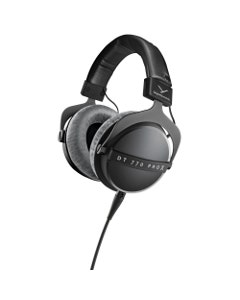
Beyerdynamic DT770PROX Closed Back Studio Headphones
Special Price $229.99
Beyerdynamic makes a ton of really good headphones. There’s really not a bad pair in the bunch. The DT 770 PROX floats to the top for podcasting because of their flat response that really works with the human voice — and they can also pull double duty as professional audio mixing and monitoring headphones, if you like to produce music in your spare time. The removable cable is also nice, so you don’t have to replace the entire headset if your cat decides to use it as a chew toy.
I personally use the Beyerdynamic DT 770 PROX as my main mixing headphones, and I have to say they’re SUPER comfortable. The oversized padded ear cups fit around your ears with plenty of space to breathe. It also has a very padded headband. Basically, you can wear them for hours and hours without any fatigue — and I have.
Best Budget Headphones: Audio-Technica ATHM20x
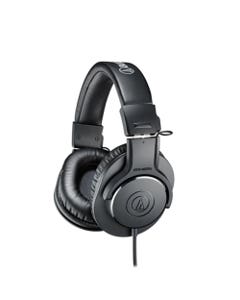
I get it; $200+ on a pair of headphones just to listen to someone talk seems a bit steep. The Audio-Technica ATHM20x headphones will certainly get the job done without blowing your budget.
They’re closed-back, wired, comfortable, and deliver a flat response that’s perfect for monitoring. They check all the boxes for podcast headphones and cost less than $60. There are cheaper options out there, but none that come with the legendary Audio-Technica name — and that really means something. That’s a win, win, win, win, win, win!
Best Mid-Tier Headphones: RODE NTH100

Rode NTH100 Professional Over-Ear Monitor Headphones
Special Price $159.00
I probably could quit with just the “Best Overall” and “Budget” headphone options, but I had to throw in the RODE NTH100. As someone who frequently overheats after a few minutes of wearing closed-back headphones, the CoolTech ™ earcup gel keeps your head nice and cool during marathon sessions, something podcasters definitely need.
Besides the cooling technology, the RODE NTH100 has everything else you could ever want from top-tier podcasting headphones, like a flat response, wired connection (with removable cable), closed-back design, and you don’t even have to ask about comfort with built-in air conditioning! They’re a great option if you don’t want to splurge on the “best of the best” but still want something a bit fancier than the basic options.
Digital Audio Workstation (DAW)
You have your mic, you have the interface or mixer to translate that analog signal into digital, now you need something to read, store, and convert your digital signal into a format you can share with the world. You need a DAW.
DAW stands for Digital Audio Workstation. It’s computer software that lets you record multiple tracks of audio, adjust levels, add effects, or do any finishing touches you want to do on your final podcast recording. You can then save your final mix as an MP3 (or whatever format you like best) to upload to your favorite platforms.
Best DAWs for Podcasts
For podcasting, you don’t need a high-end professional DAW like Pro Tools. Much like the headphones, you can take it easy. Luckily, there are tons of inexpensive and even free digital audio workstations that work perfectly well for podcasting.
If you have a Mac computer, just use GarageBand. It’s free, already on your computer, and it even has a quick “podcast preset” that gets you all set up for podcasting right away.
For PC or Linux users (or Mac users who don’t want to use GarageBand), check out Audacity. It’s another free, open-source DAW with basic features that work really well for podcasts. Just remember I said “basic.” Don’t expect anything too fancy.
Once you get your bearings and understand what DAW features you really want for your podcast, you can upgrade accordingly. But these two free options will give you a great start without any additional investment.
Plenty of Cables
Nothing in the recording world comes without cables. Luckily, podcasting doesn’t require too many complicated connections. All you really need is the USB cable to connect your mixer/audio interface to your computer (which is usually included in the box), and a few XLR cables to connect your mic(s) to the interface/mixer.
If you plan on adding an instrument or keyboard to your setup, grab a standard ¼ inch instrument cable. Headphone extension cables are also a nice touch if your studio is a bit longer than your regular headphone cables.
Mic Stands or Boom Arms
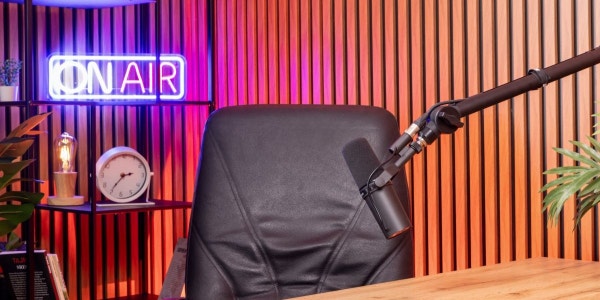
You have the big mic in your face and headphones over your ears. The final piece to look like a professional podcaster is a mic stand. And yes, you can cover it with stickers or leave it plain to give yourself the aesthetic you’re going for, but it’s also an important part of a podcast setup that shouldn’t be overlooked.
The mic stand holds your mic, obviously. But it does way more than that. It makes sure you and your guests are comfortable without having to lean toward the mic in weird positions for hours at a time and that your voice comes through loud and clear with correct mic positioning.
Many podcasters like to go for mic boom arms that clip onto the desk and can be fully adjustable to suit a wide range of guests and applications. But there are plenty of mic stand options out there to fit your unique studio setup. Mic stands might not be the sexiest part of a podcast setup, but this really isn’t a place to skimp. You want to make sure your mics stay secure, in the right position, and don’t have unnecessary vibrations running through your recordings.
Grab the Gear to Start Your Podcast from AMS
A mic, a mixer, a DAW, and a good idea — that’s really all it takes to start your podcast. And if you’re ready to start taking over the airwaves, you can find all the gear you need right here at AMS.
With VERY fast and free shipping and 0% interest payment plans, it has never been easier to get the gear you need to start your podcast. And if you have any questions, give our gear experts a call at 800-458-4076. They’ll be happy to point you in the right direction. Now get out there and build an audience!
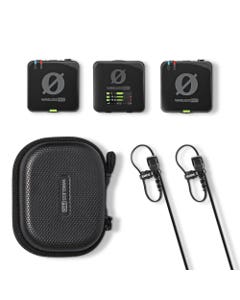
Rode Wireless Pro Dual Channel Compact Wireless Microphone System
Special Price $299.00
Shure MV7K-BNDL Podcast Hybrid USB-C And XLR Dynamic Microphone
Special Price $269.00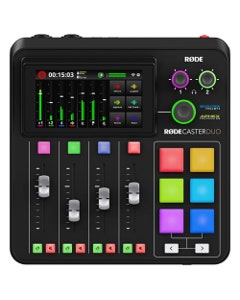
Rode RodeCaster Duo Compact Integrated Audio Production Studio
Special Price $499.00-
Shure MV7K Podcast Hybrid USB-C And XLR Dynamic Microphone Black
Special Price $255.00 
Universal Audio SD1 Standard Dynamic Microphone
Special Price $299.00
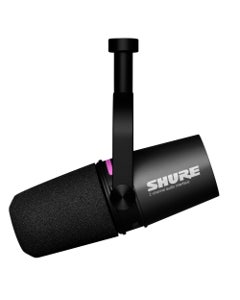
Shure MV7i Smart Mic with Audio Interface USB-C
Special Price $389.00



Gear to Start a Podcast: Frequently Asked Questions
What equipment do I need to start a podcast?
Starting a podcast doesn't take a truckload of tech. You really just need a microphone, a mixer or audio interface, headphones, and a DAW (recording software). Add a few cables and a sturdy mic stand or boom arm, and you're ready to beam your big ideas to the world.
Should I use a USB or XLR mic for podcasting?
It comes down to what you're plugging into. USB mics connect straight to your phone, tablet, or computer, which makes them perfect for solo hosts and grab-and-go setups. XLR mics need an audio interface or mixer, but they reward you with slightly better sound and plenty of room to grow when guests join the show. Either way, a dynamic mic is the smart pick for most podcasters because it rejects background noise and doesn't need phantom power.
Do I need an audio interface for a podcast?
Not if you use a USB mic, since it plugs directly into your device and skips the middleman. XLR mics need an audio interface or podcast mixer to turn their analog signal into digital. Interfaces excel at clean, multitrack recordings you'll edit later, while mixers shine for live shows with hands-on faders, knobs, and sound effect pads.
What headphones are best for podcasting?
The best podcast headphones aren't the fanciest. They just need to be closed-back, wired, comfortable, and flat in frequency response. Closed-back cups block outside noise and prevent feedback, and a wired connection means no lag and no dead batteries mid-episode, so you can talk for hours without your ears staging a protest.
What software do I need to record a podcast?
You need a DAW (digital audio workstation), which lets you record, edit, add effects, and export your episode as an audio file. Mac users can fire up GarageBand for free, complete with a handy podcast preset. PC and Linux users can grab Audacity, a free, open-source option that covers the basics beautifully.